
Lighting, Audio, Camera: The Filming Basics That Actually Move the Needle
In a 2023 viewer survey by StreamElements, bad audio was cited as the number one reason people click away from a video - outranking poor lighting, shaky footage, and even irrelevant content. Viewers will tolerate a blurry shot. They will not tolerate listening to someone sound like they're recording inside a bathroom at a party.
Most beginners buy gear in exactly the wrong order. They spend $1,200 on a mirrorless camera, record in an echo-filled spare bedroom with the built-in laptop mic, and wonder why their videos don't look or sound professional. The priority stack matters. Get it wrong and money doesn't help.
Here's the correct order: audio first, lighting second, camera last. Almost nobody naturally arrives at this order. Almost everybody who does wishes they had figured it out sooner.

The camera is the least important part of this picture. No really - keep reading.
Audio: Fix This First, No Exceptions
The built-in microphone on your laptop is genuinely bad. It's omnidirectional, positioned far from your mouth, and designed for video calls - not recording. The built-in mic on a dedicated camera is marginally better but still picks up every HVAC hum, keyboard click, and ambient room noise in a 360-degree field around it.
The cheapest meaningful upgrade is a USB condenser microphone in the $50-100 range. The Audio-Technica AT2020 and the Blue Yeti Nano both sit in this price range and represent a step-change improvement over any built-in option. Plug one in, position it 6-8 inches from your face, and you've solved 80% of your audio problem.
The other 20% is the room. Echo is the enemy. A USB mic in a live, hard-surfaced room still sounds hollow and amateur. The fix doesn't require acoustic foam panels on your walls - though those help. In descending order of effectiveness:
- Record in a room with soft furnishings: couches, rugs, curtains, bookshelves full of books. These absorb sound reflections.
- Hang a thick duvet or blanket behind you. Ugly on camera, excellent acoustic treatment.
- Record in a closet. Legitimately. The clothes are incredible sound dampeners and the small space means fewer reflections. Many podcasters use this method.
- Place the microphone between you and the hardest wall surface to minimize direct reflections.
One test: clap your hands once in front of you. If you hear a distinct echo or reverb ring, you have a room problem. Fix the room before you buy anything else.
Viewers will tolerate a blurry shot. They will not tolerate listening to someone record in an echo chamber.
Lighting: Free Gets You 80% There
The professional standard is three-point lighting. A key light (your main, brightest source, positioned roughly 45 degrees to one side of your face), a fill light (softer, on the opposite side, to reduce harsh shadows), and a back light (behind you, separating you from the background). This setup is why television presenters look the way they do.
You don't need to buy three lights to achieve a similar result. Natural light from a window to your side does almost exactly what a key light does, for free. Sit with a window to your left or right - not behind you, not in front of you. Facing a window gives you flat, even frontal light. A side window gives you dimensionality.
The single biggest lighting mistake beginners make: sitting with a window behind them. The camera's exposure system has to choose between exposing correctly for the bright background or for your face. It usually picks a middle ground that makes you look like a silhouette. Either close the blinds or move so the window is to your side.
If you want to spend money on lighting, a single large softbox or an LED ring light in the $40-80 range solves most problems. Ring lights create that distinctive circle catchlight in the eyes that you see on beauty and vlogging content. Softboxes give more directional, cinematic light. Both are fine. Neither is essential if you have a good window.
Camera: The Least Important Variable
This is the part beginners fixate on and experienced creators mostly stop thinking about. PetaPixel's comparison testing has shown repeatedly that sensor size and computational photography have changed what "good enough" means - and your current smartphone is probably good enough.
1080p is fine for YouTube. 4K is nice, gives you room to crop in post, and is the format of choice if you care about future-proofing. 720p is acceptable but starts showing its age on large screens. None of this matters as much as what the sensor does with available light.
A modern smartphone - iPhone 15, Pixel 8, Samsung S24 - in good light will outperform a 2016 DSLR in bad light. Every time. The sensor doesn't care about your camera's street credibility. Physics is physics.

The edit happens after the shoot. Get the shoot right and the edit gets easier.
Camera Settings Beginners Skip
If you do have a dedicated camera - or if you're using a camera app with manual controls on your phone - a few settings make a meaningful difference:
- White balance: set it manually. Auto white balance drifts between shots, making your footage look inconsistent. Set it to match your lighting source: around 5500-6500K for daylight, 2700-3200K for warm indoor light.
- Frame rate: 24fps for a cinematic look, 30fps for the YouTube-standard feel. Both are fine. 60fps is good for fast-motion content or if you plan to slow down footage in post. Pick one and stick with it for a video - mixing frame rates creates problems in editing.
- Shutter speed: follow the 180-degree rule. Set your shutter speed to double your frame rate. Shooting at 24fps? Shutter at 1/48 (or the nearest option, 1/50). At 30fps? Shutter at 1/60. This creates natural motion blur that matches how our eyes perceive movement. Higher shutter speeds make motion look choppy and unnaturally sharp.
B-Roll: The Part Everyone Skips
B-roll is the supplementary footage that cuts away from your main talking-head shot. It's the shot of your hands on a keyboard when you're explaining a workflow. The product shot when you're reviewing gear. The street footage when you're telling a story that happened outside. Every YouTube tutorial you love uses it.
Beginners skip b-roll because it requires extra effort. You finish recording your main content and that feels like enough. It isn't. A 10-minute talking-head video with no cutaways tests the patience of even engaged viewers - it removes one of editing's most powerful tools for pacing.
Start simple: after you record your main content, spend 5-10 minutes recording "detail shots" of whatever you were talking about. If you covered a software tool, record your screen. If you covered a physical product, record it from multiple angles. Even a handful of b-roll shots transforms what editing feels like.
The One Thing That Instantly Makes Videos Look More Professional
The corollary to this: if you can't clean the background, make it dark and blurry. A shallow depth of field - which you get by moving your camera closer to your face and your background further from both of you - blurs the background into an indistinct smear. Mess becomes texture. It works, and it doesn't cost anything.
Good content beats perfect gear every time. But bad audio loses viewers before they ever hear the content.
The Upgrade Path That Actually Makes Sense
Here's the sequence, assuming you're starting from nothing:
- Use your phone. Modern smartphone cameras are legitimately excellent. Film vertically or horizontally depending on your platform, use the free Blackmagic Camera app, or just use the native camera app with exposure locked.
- Buy a microphone. $50-100. USB condenser. This single purchase changes your channel more than any camera upgrade will.
- Fix your room. Close doors, add soft furnishings, hang something behind you. Free to mostly free.
- Add one light. A window works. A $60 softbox works. A ring light works. Don't buy three lights until you've maxed out one.
- Get a dedicated camera only when you've hit the ceiling of what your phone can do. For most creators making most content, that ceiling is higher than they think.
The creators who obsess over gear before they've made 50 videos are optimizing for the wrong variable. Make the videos. Learn what actually limits you. Buy the solution to that specific problem.
Odds are, it's the microphone.
Further viewing
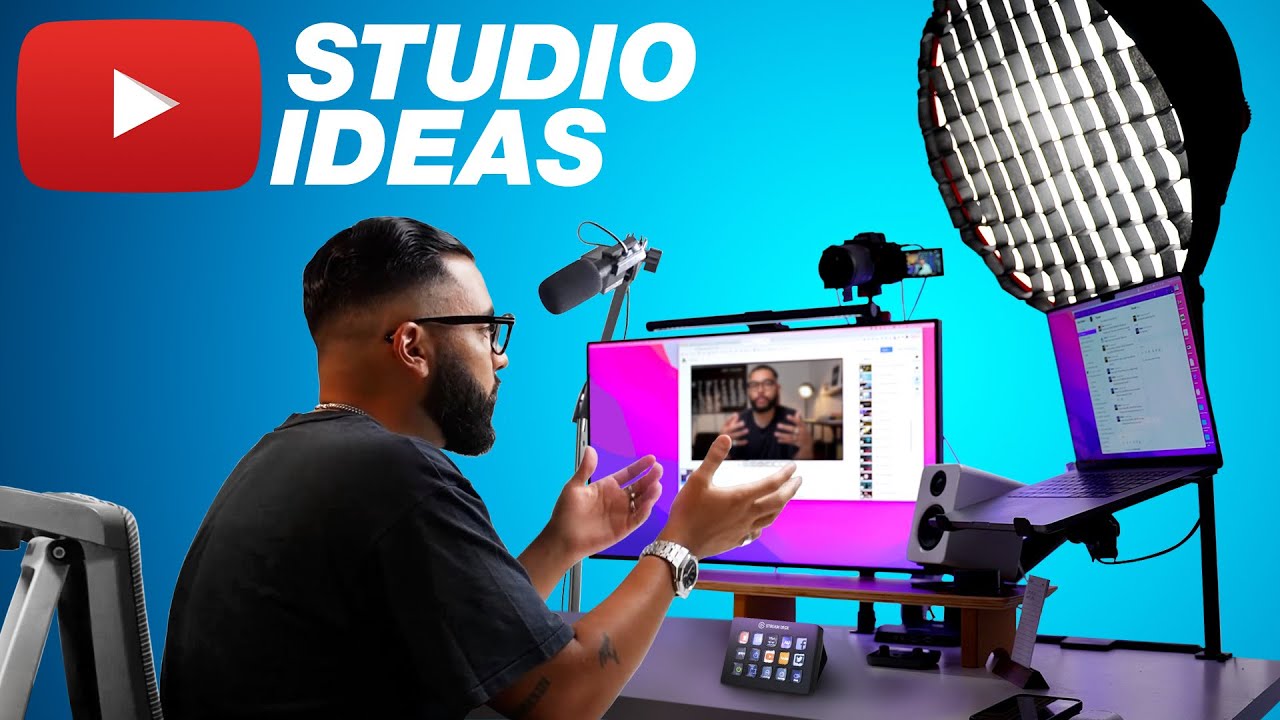
Studio setup and on-camera presence - the two things most beginner filming guides skip entirely.

Join the conversation