
YouTube Finally Built an AI That Talks Back to Creators. Here's What It Won't Say.

Ask Studio is a chat box inside YouTube Studio. You type "what is my audience talking about in the comments?" and it tells you - in plain English, using your actual channel data, for free.
After fifteen years of YouTube knowing everything about every channel and telling creators almost none of it through dashboards most people never fully decoded, that's not nothing. It's actually kind of a lot.
The tool launched in October 2025 and has been expanding steadily since. It's now available in the US, UK, Canada, India, New Zealand, the European Economic Area, and Latin America. You find it through a sparkle icon in the top-right corner of YouTube Studio - desktop only for now. If you don't see the icon, it hasn't reached your account yet.
Sources: YouTube Blog, Sep 2025; YouTube Help
What It Can Actually Do
YouTube designed Ask Studio around three pillars: performance metrics, audience insights, and content strategy. The AI draws on your channel data - recent uploads, watch time trends, comment history, revenue shifts - and answers questions in conversational language rather than pointing you at a dashboard tab.
Andrew Kan, a creator and former TubeBuddy employee, spent over an hour stress-testing Ask Studio on his channel live. His verdict: genuinely useful in specific areas.
The performance comparison capability stood out. Kan asked it to identify content that held his audience versus content that drove traffic with shorter engagement. Ask Studio correctly separated his gear reviews and creator-business deep dives (high average view duration, audience builders) from his shorter tutorials (high views, faster drop-off). That audience-builder versus traffic-driver distinction is real and important. Most creators conflate the two metrics. Ask Studio doesn't.
Comment analysis also works well. Ask it what themes are coming up in your comments, it synthesizes patterns across hundreds of messages that would take you an afternoon to sort manually. Ask it what viewers are requesting that you haven't made yet, and it finds the gaps. That's not a party trick - it's a legitimate research shortcut.
YouTube's own behind-the-scenes channel previewing Ask Studio before the full rollout. The product people explaining their product - unusually direct.
Where It Gets Things Wrong
There's a warning message at the top of every Ask Studio chat window: "AI can make mistakes." Kan saw what that means in practice, and the examples are worth knowing before you rely on the tool.
When Ask Studio analyzed comments about YouTube's channel guidelines feature, it recommended Kan build a mobile tutorial. There's one problem: channel guidelines don't exist on the YouTube mobile app. YouTube's own AI gave advice requiring platform knowledge that YouTube itself should have built in. That's context blindness, and it can send you down the wrong road.
The sponsorship blind spot is subtler but more structurally important. Ask Studio enthusiastically told Kan to make more Adobe Express content because his audience was highly engaged with it. He's an Adobe Express brand ambassador - the engagement was partially driven by sponsored integration. Ask Studio has no way to distinguish organic interest from sponsored placement. It treats all engagement the same.
Subscriber milestone projections were also off. When Kan asked when he'd hit 20,000 subscribers, it offered a rough timeline that didn't account for the reality of YouTube growth: it's non-linear, and one video can compress years of projected growth into a few days. To its credit, Ask Studio acknowledged this when pushed - but it didn't lead with it.
These aren't random bugs. They point at something structural.
Ask Studio knows your channel from the inside out. The question is who taught it what "good" looks like.
Three Pillars - and the One That's Missing
When Kan asked Ask Studio what YouTube told it to prioritize when giving creators advice, it gave a direct answer: focus on viewer experience. Stop the scroll with compelling packaging. Fulfill the promise by keeping your audience watching. Repeat by understanding your viewer deeply enough to do it consistently.
That framework is correct. It's also completely aligned with YouTube's business model - because YouTube's revenue depends on watch time, retention, and return viewers. When you make better videos by YouTube's definition, YouTube makes more money too. For the most part, your interests and the platform's interests overlap. That's a good thing.
But "for the most part" is doing a lot of work in that sentence.
Ask Studio can tell you which of your videos has the highest average view duration. It can't tell you if optimizing relentlessly for that metric will eventually make your channel feel like a performance rather than a person. It can compare how your long-form retention stacks up against your Shorts. It probably won't tell you that depending on Shorts for discovery is a bet on a format with CPMs of $0.01 to $0.06 per thousand views while long-form sits at $1.61 to $29.30. It can identify content gaps - videos you made that resonated but never got a follow-up. It won't tell you whether chasing those gaps is the right move for where you want to be in two years.
YouTube gave Ask Studio three pillars: performance, audience, content. What's not in the list: creator goals. Career arc. Audience trust. The difference between a channel that grows fast and one that lasts.
How to Use It Well
Use Ask Studio as a first draft, not a verdict. It's exceptional at surfacing what you missed - the series that resonated two years ago that never got a follow-up, the comment thread where fifty people are asking for the same thing. Let it find the questions. You answer them.
Five questions worth asking (these come directly from Kan's live testing, and they're the ones that generated the most useful responses):
- "What content held my audience longest versus what drove the most traffic?" - the audience-builder vs. traffic-driver split is genuinely diagnostic.
- "What did really well for me that I never followed up on?" - Ask Studio is good at finding abandoned threads in your back catalog.
- "What are viewers asking for in my comments that I haven't made yet?" - comment synthesis across hundreds of videos in seconds.
- "Which of my thumbnails performed best and what do they have in common?" - it can pull visual pattern analysis from your own performance data.
- "What content could I create in the next month to improve my channel?" - narrow timeframe forces concrete suggestions instead of vague optimism.
Questions to stay skeptical about: subscriber milestone projections, any advice that involves brand partnerships or sponsored context, and specific claims about feature availability on different devices. On those, add your own judgment before acting.
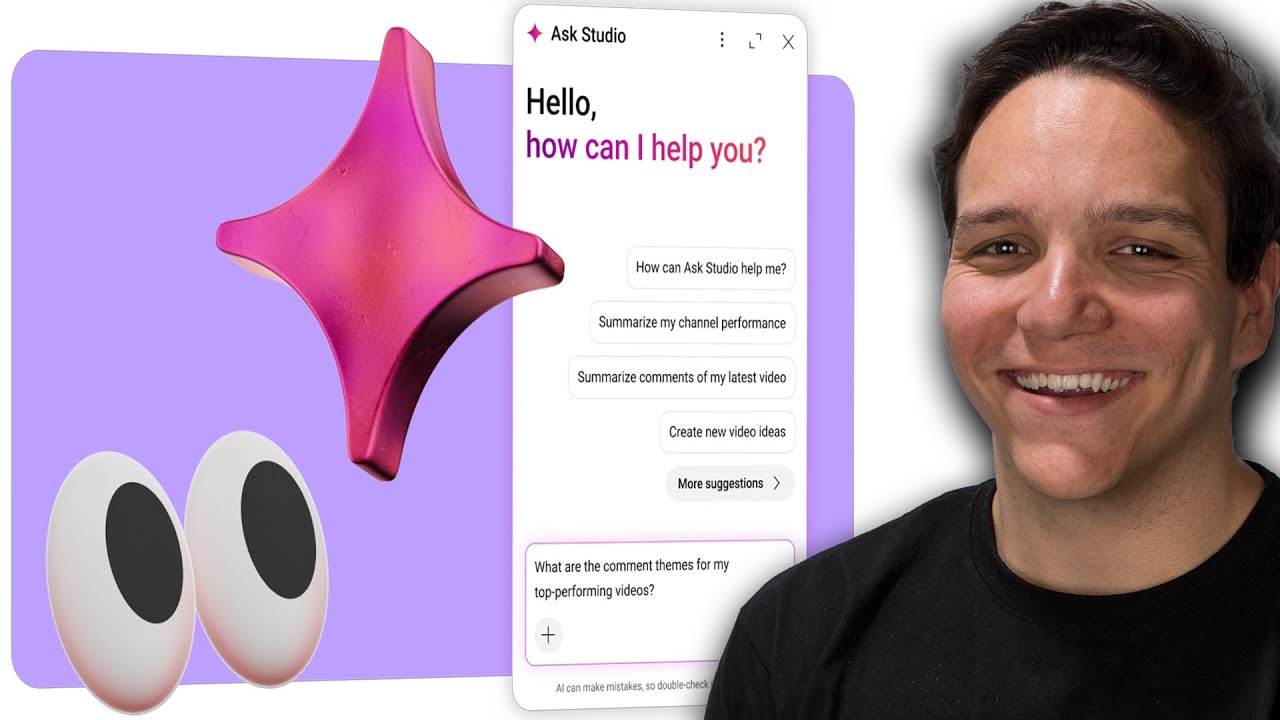
Kan tests every major prompt live with real channel data. Worth watching the section where Ask Studio recommends more sponsored content and he has to explain why that advice doesn't land.
The Honest Assessment
Ask Studio is the most genuinely useful AI tool YouTube has shipped for creators. That's not a low bar - it's a real endorsement. For years, creators had a data problem in reverse: not too little information, but too much sitting unread across tabs they'd click once and never return to. Ask Studio collapses that into a conversation. The answers were always in the data. Now you can just ask for them.
But here's the part worth sitting with: Ask Studio was trained on YouTube's definition of a successful channel. Performance. Audience. Content. The three pillars are real metrics that matter. They're also the metrics YouTube uses to decide how much to surface your videos.
That definition and yours probably overlap about 80% of the time. The other 20% - the career decisions, the brand questions, the choice between a video that will perform well and a video you actually believe in - that part Ask Studio can't do. Not because it's broken, but because nobody gave it those goals. They aren't in its pillars.
Use it for the 80. Own the 20 yourself.
Join the conversation